
Minimig.ca · WoRC 2026 Platinum sponsor
AmiCube & PiStorm68K.
Meet us at WoRC 2026.
September 12–13 · Waterloo
A weekend of retro computers, familiar faces and hands-on Amiga fun. Join me, Ranko Rodic, at the Minimig.ca workshop.
I’m bringing AmiCube v1.1 and PiStorm68K, with plenty to explore: AGA colour, original floppy disks, the redesigned ARM F12 menu and a choice of soft or physical CPU paths. Come see the boards and talk through the latest development work with me.
At my table, we can dig into creating ADF images from F12, copying between ADFs and real disks, and choosing a CPU setup. PiStorm68K brings Raspberry Pi acceleration and a physical 68000 option; the RTG story below follows the experiments that led to AmiCube’s native RTG Workbench.
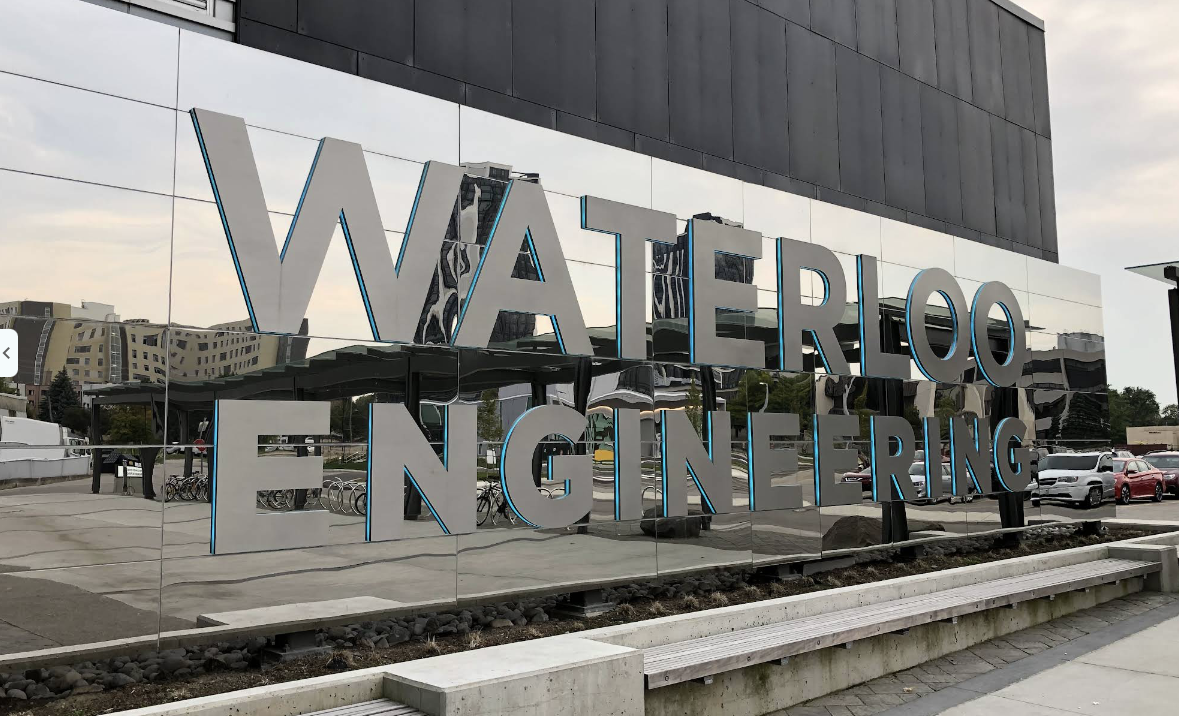
IDEAs Clinic, Room 1427 · 263 Phillip Street
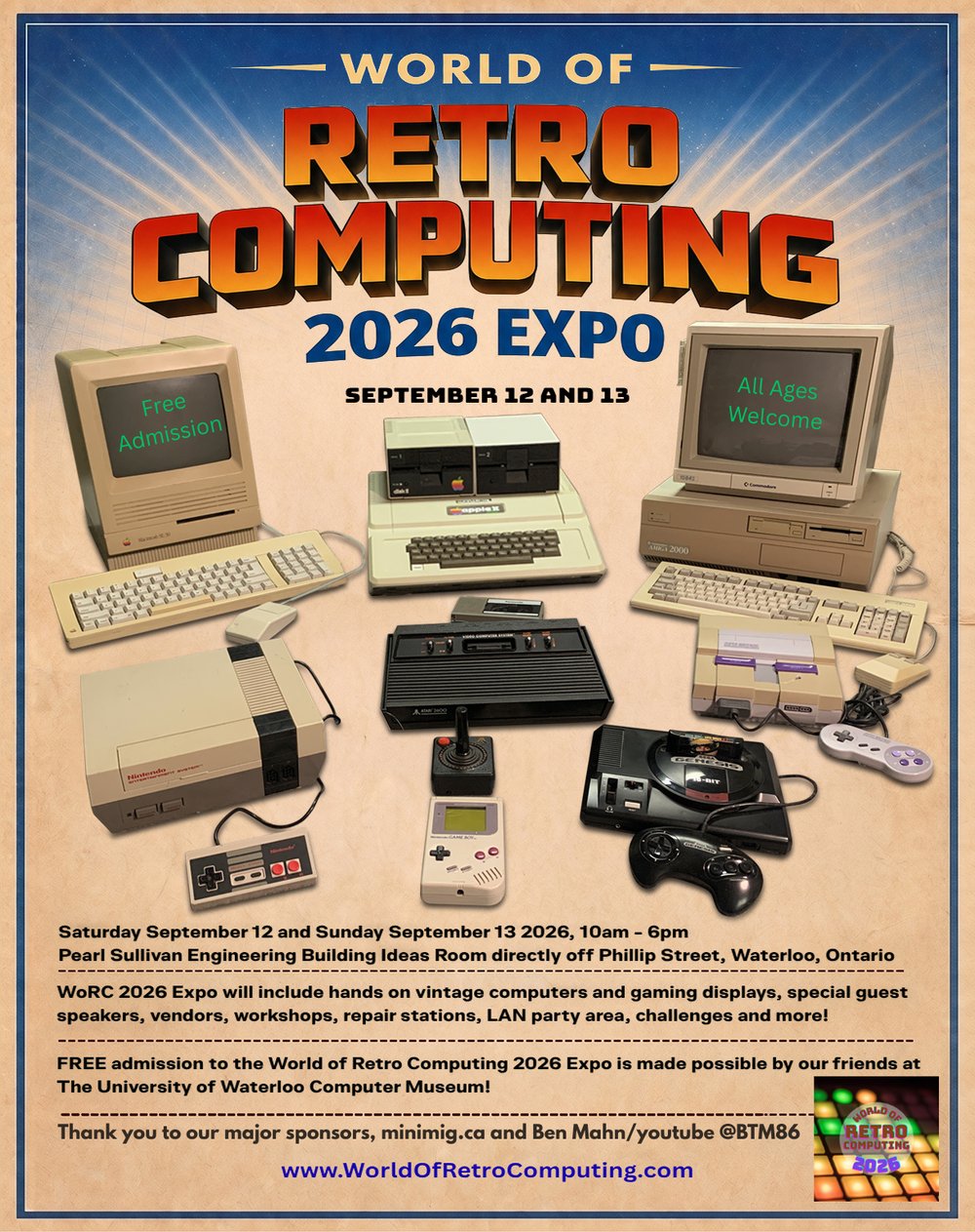
WoRC 2026 Expo · Click the poster to enlarge.
Make a day of it
More than the Minimig workshop.
The 2026 programme lists more than 25 vendors and exhibitors each day, a retro LAN party, museum displays and talks spanning computer history, Atari graphics and a Tandy CoCo language-model project. Leave time to explore beyond my table. Check the official programme for the latest lineup and times.
Arriving by car
Use 263 Phillip Street / Engineering 7, not 200 University Avenue. The organizer points visitors to the Q parking lots beside the bus station; check posted parking conditions on arrival.
Questions before you come?
Admission is free for all ages. For accessibility, arrival arrangements or other venue questions, contact the WoRC organizers. Event information checked September 9, 2026.
The people. The machines. The conversations.
A little of the WoRC atmosphere.
These are my photographs and memories from WoRC 2023, not the upcoming 2026 show. Thanks again to Justus, known as Herk on Discord, for inviting me to take part. I’m looking forward to another weekend of sharing hardware, answering questions and meeting fellow retro-computing enthusiasts.
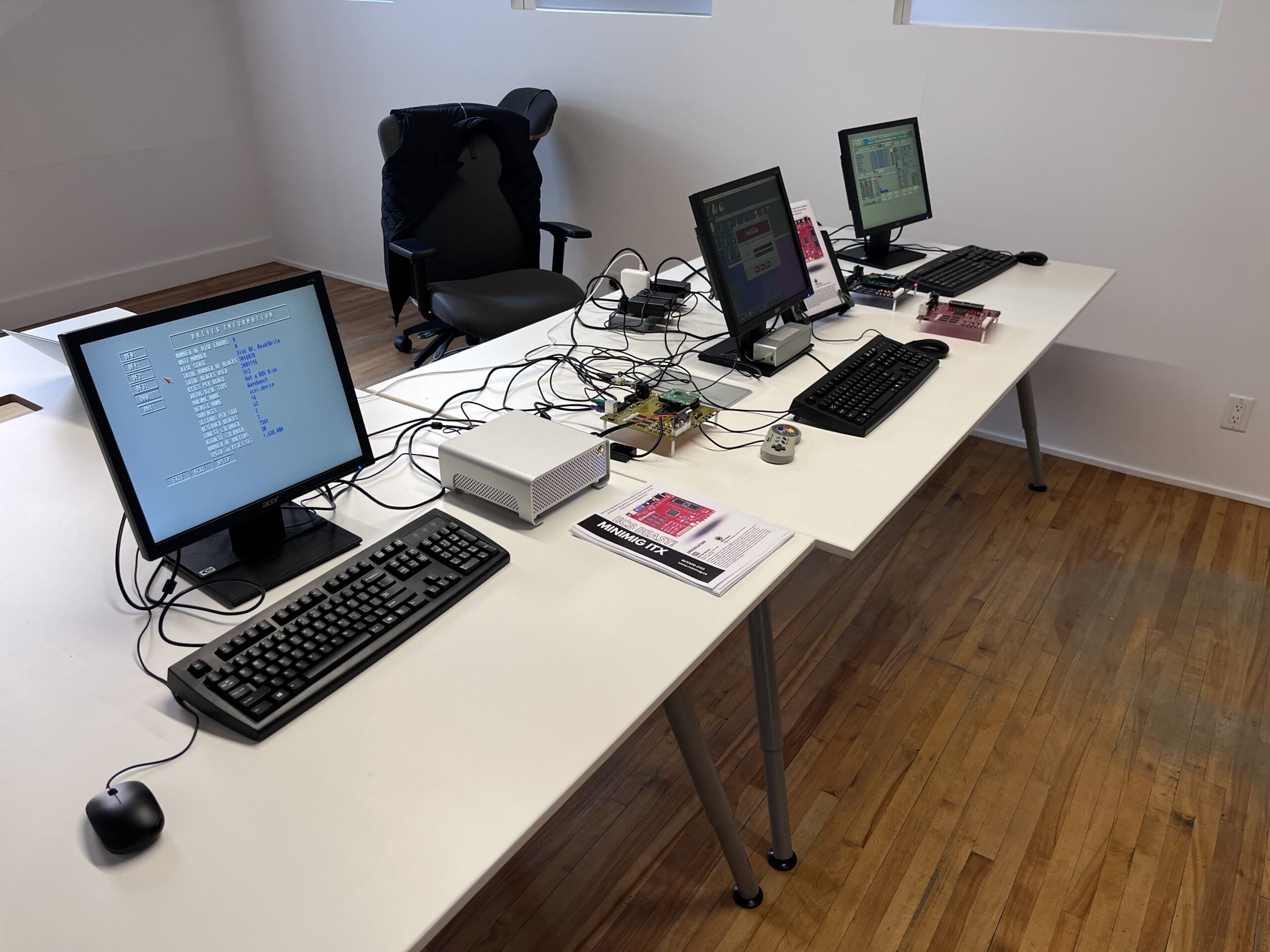
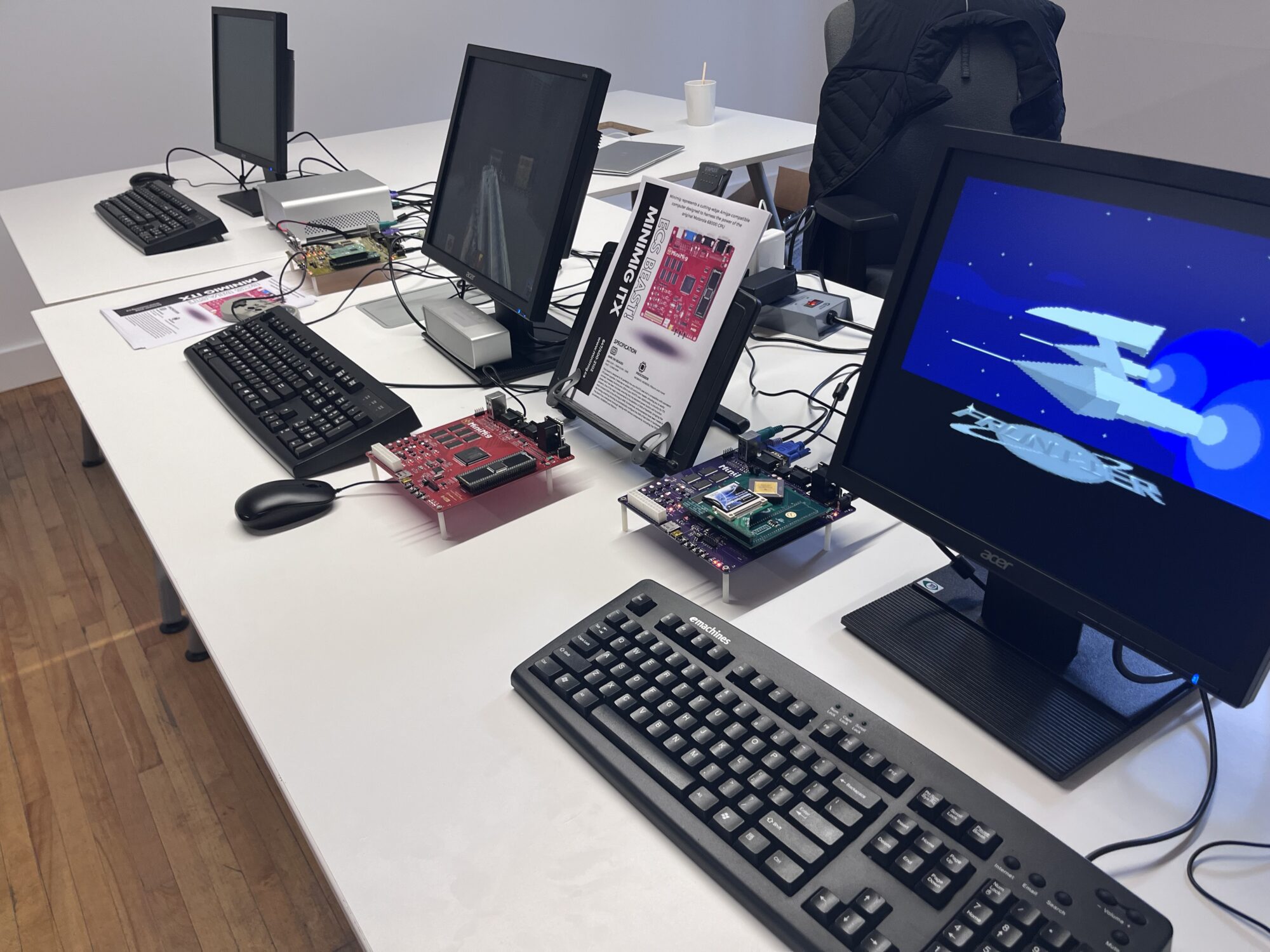
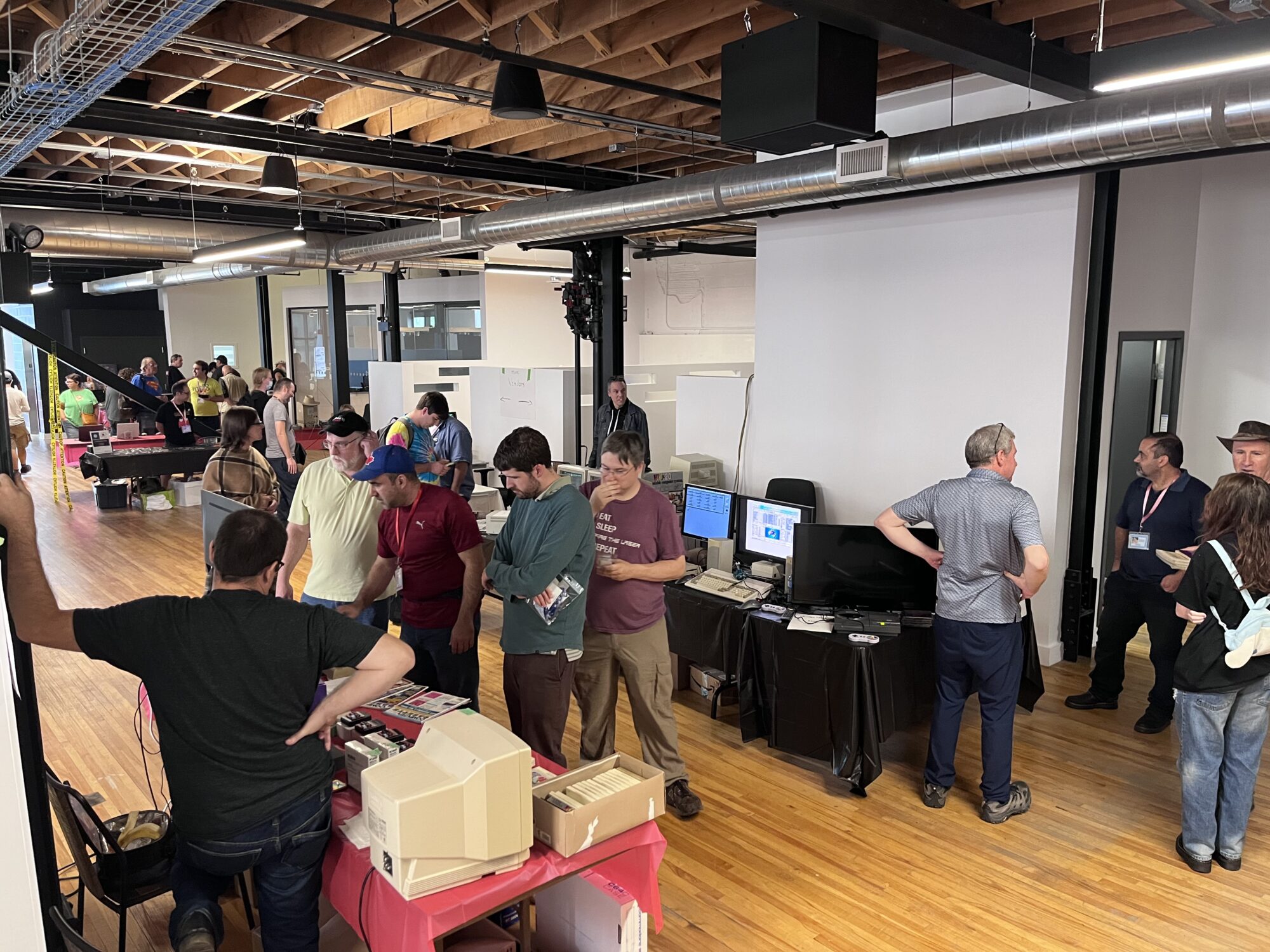
A wave to Bil Herd and Dave Haynie
At about 32:30 in the 2023 livestream, I had the pleasure of waving to Bil Herd and Dave Haynie. Unfortunately, the audio was too poor for the conversation I had hoped to have, so I couldn’t properly explain the setup. It is still a lovely part of the weekend to look back on, even if the technology didn’t quite cooperate.
Watch the 2023 livestream at 32:30At the Minimig.ca workshop
The AmiCube goodies I’m bringing along.
AmiCube v1.1 takes the original Minimig idea further: AGA graphics, more memory, two CPU paths and physical-floppy support. Explore the hardware and the latest board-tested developments with Ranko Rodic.
AGA in FPGA logic
OCS/ECS heritage, AGA graphics and an 18-bit RGB DAC. Picasso96 RTG also runs on the tested PiStorm socket setup: 800 × 600, 16-bit colour through AmiCube’s own display output.
128 MiB SDRAM
128 MiB physical SDRAM. The SOFT profile offers 2 MiB Chip and 120 MiB Fast RAM, plus selectable Slow RAM. The HARD/socket path exposes up to 8 MiB of FPGA Fast RAM; accelerator-local memory is separate.
Soft 020 or a real socket
Use the TG68 SOFT core, or a separate HARD core for the DIP64 CPU interface. Real 68SEC000, TF534 and PiStorm paths have board-test records.
Real drives + ADFs
Choose real or ADF independently for DF0 and DF1. DF2 and DF3 remain virtual. Physical-disk and ADF-to-disk copying have been demonstrated.
Create empty ADF
Create an unformatted 880 KiB image directly from F12. Enter a short filename, then select the image in a virtual drive and format or copy in AmigaOS.
Made to be connected
PS/2 keyboard and mouse, DB9 joysticks, analogue audio and VGA, with SD storage and two physical floppy connectors.
Native VGA zoom
Enlarge the native Amiga picture with PrintScreen or F12 → Video → VGA Zoom on the HARD/socket core. Change the framing live and use Save settings to keep it. RTG bypasses zoom.
Acceleration you can select
Turbo Chip and Kick Turbo are functional HARD/socket controls. Change them in F12 and reset the Amiga to apply. RTG Board remains a live control; Save settings retains your choices.
Faster hard-disk reads
The tested 68SEC000 setup reached 2,184 KB/s from AmiCube SD storage. On TF030’s own SD interface, Kick Turbo delivered over 2,000 KB/s versus about 800 KB/s disabled. Results depend on the setup.
Built for the curious
More than a new core.
101,261 logic cells
4,824 Kbit of FPGA block RAM and 180 DSP48A1 slices provide resources for the chipset, CPU and supporting logic.
SRAM, clocks & status LEDs
Six SRAM devices remain for development and auxiliary RAM uses. New 27 MHz main and 12 MHz development oscillators join visible FPGA configuration/status LEDs.
68000, TF cards & a wider path
32-bit Chip RAM access in the FPGA; TF030-family experimentation with a documented TF534 result. Selected socket clocks up to 60 MHz have configuration-specific board records.
AGA games compiled for 68000 can run on a suitable HARD-core setup; software requiring 020+ still needs that CPU capability. The physical SDRAM bus is 16-bit. Socket-clock results depend on the CPU, adapter and core.
Real floppies are integrated into both SOFT and HARD CPU variants, with two-drive activity LEDs. Workflows include reading original disks, real-to-real copying and transfers between ADF images and real drives.
On my development bench
One motherboard. Different ways to build.
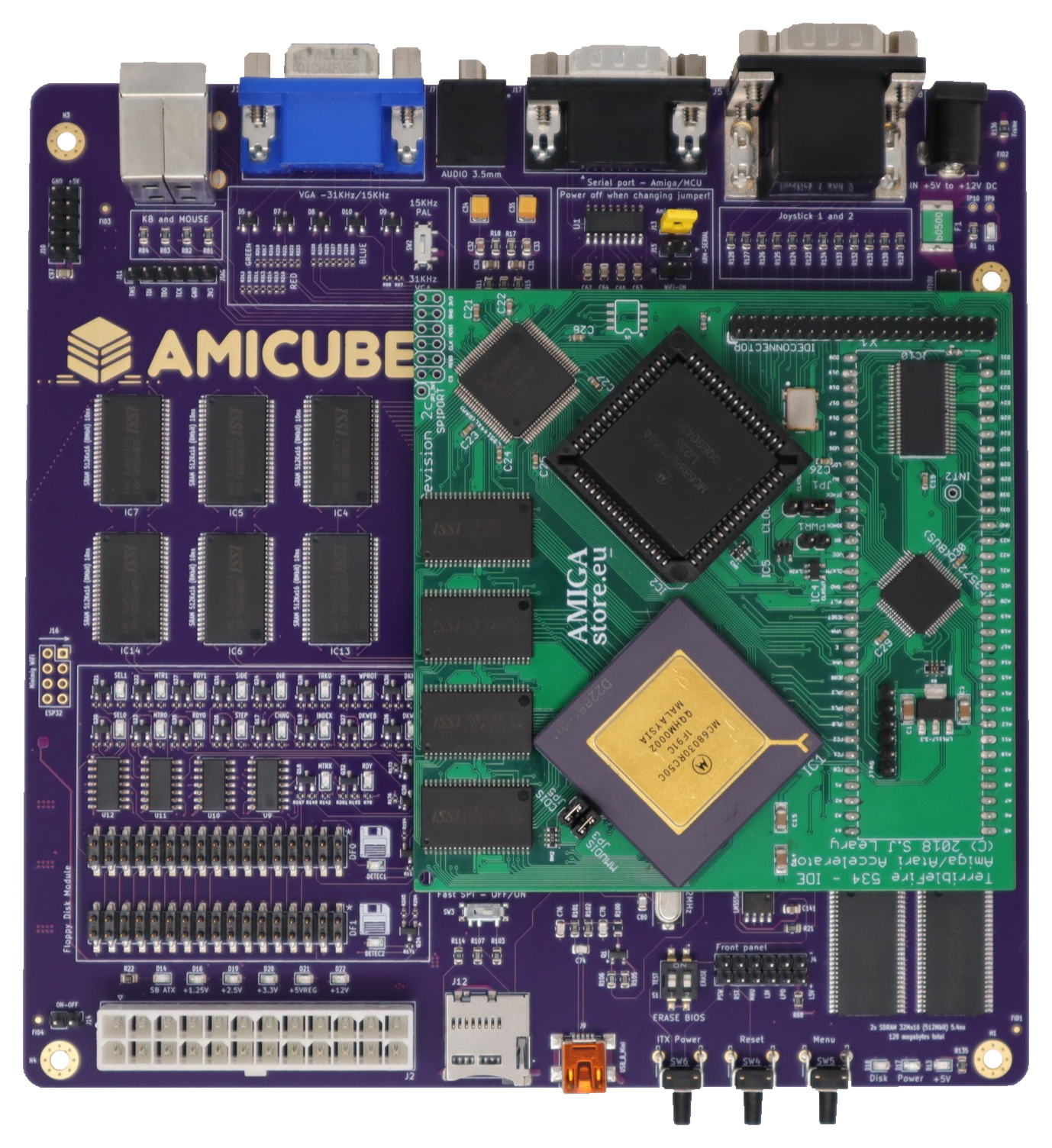
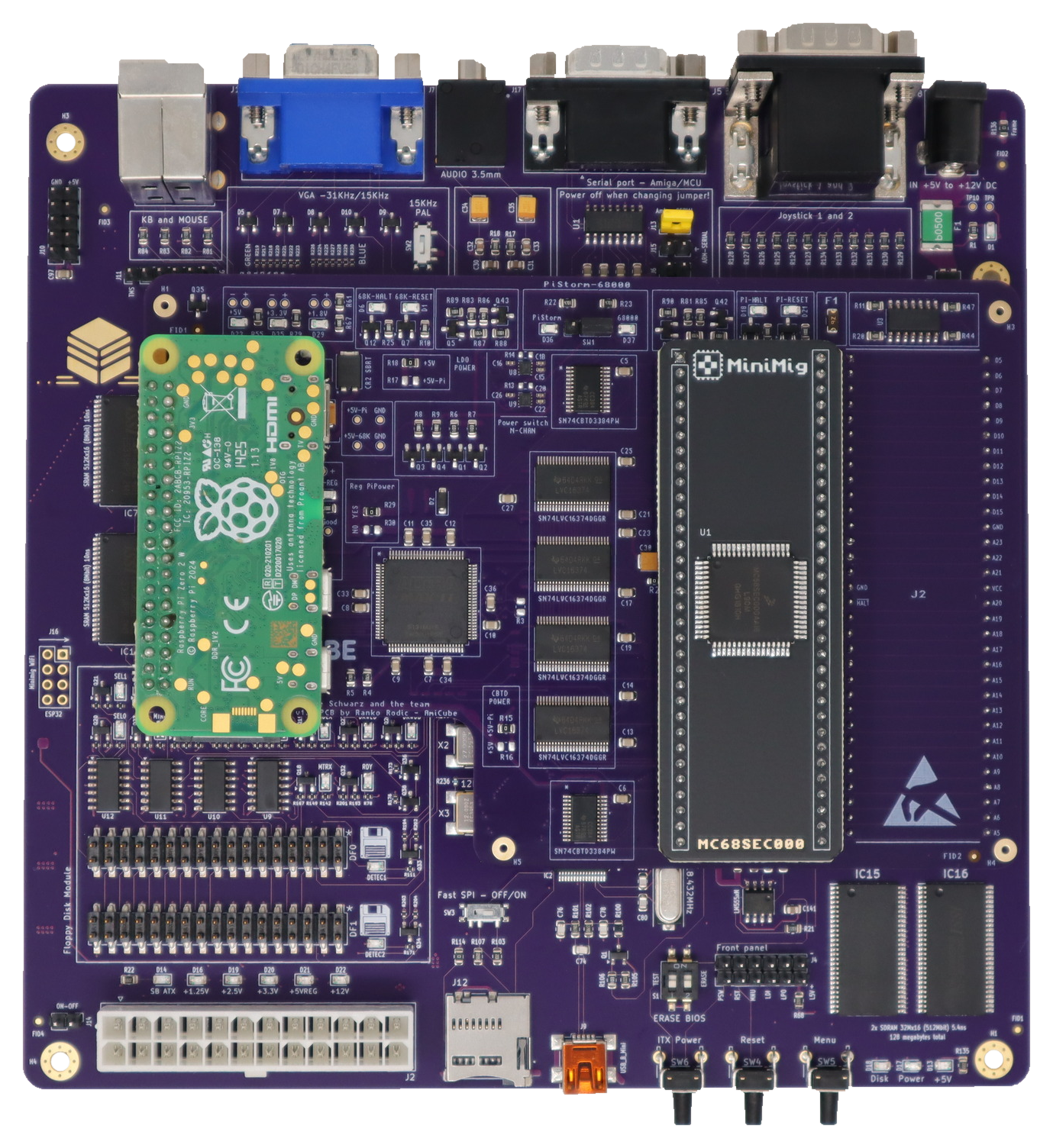
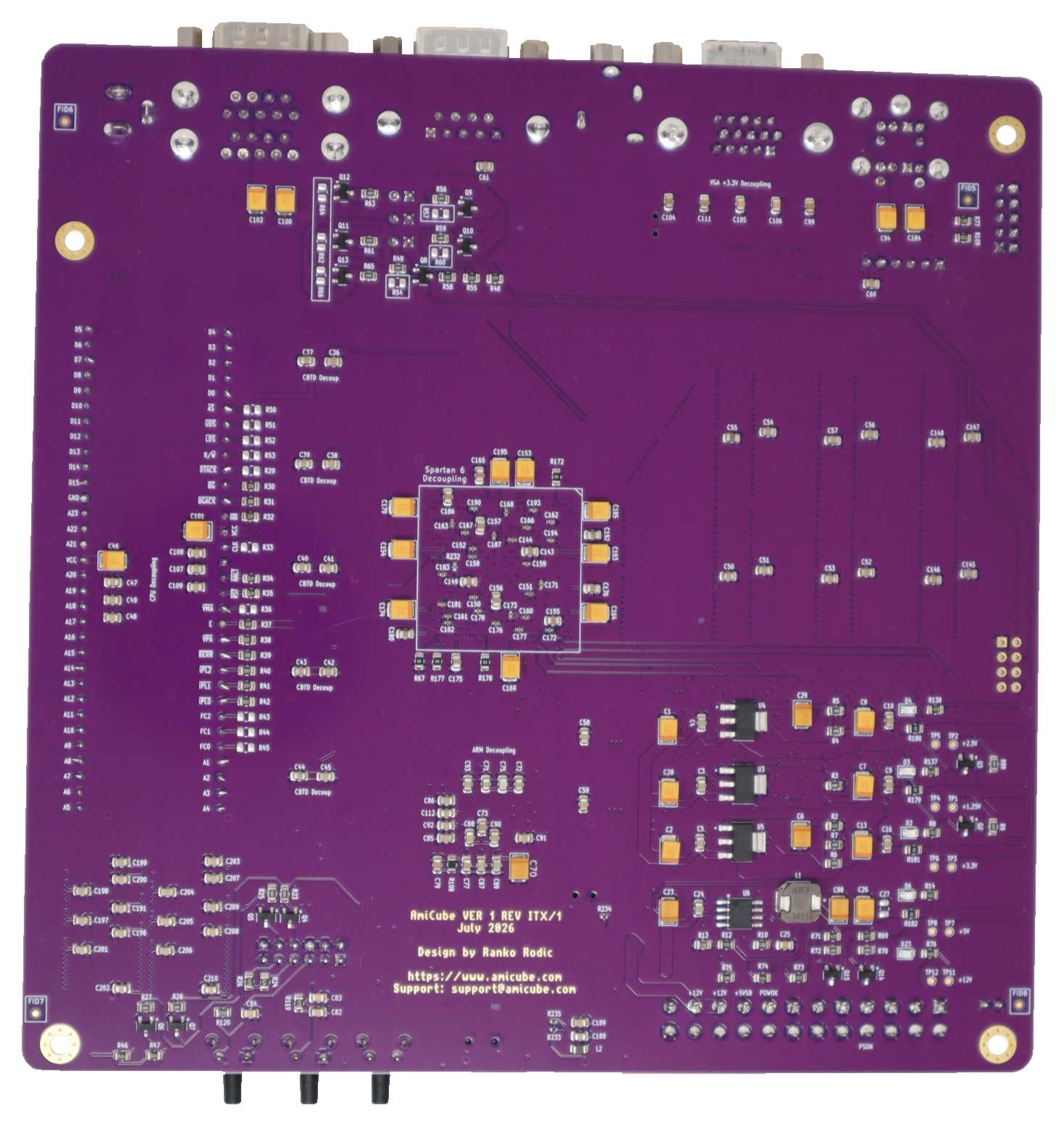
I designed the socket path to make room for real hardware experiments as well as the soft CPU. Here are the TF534/68030 and PiStorm68K configurations, plus a closer look at the AmiCube motherboard from underneath.
The current ARM F12 experience
Create a disk image. Right here.
Create an empty disk image directly on the SD card from F12. Enter a short name and the physical ARM controller creates an unformatted 880 KiB ADF in the card’s root folder. Select it in a virtual drive, then format it in AmigaOS or use it as a disk-copy destination.
These photographs show the real menu running with ARM V11R1FE. The same shared ARM firmware provides the everyday setup menu for the separate SOFT and HARD CPU cores.


Choose “Create empty ADF” and enter a short name.
The ARM creates an empty .ADF in the card’s root folder.
Use the DFx image picker to mount the new file.
Format in AmigaOS, or use it as a disk-copy destination.
Real drives and images together. DF0 and DF1 can each use a physical drive or an ADF. DF2 and DF3 remain virtual. Drive-source changes apply when you explicitly reset.
Your setup, one familiar key. CPU, chipset, memory, HDF hardfiles and RTG controls share the F12 menu. Native-video filters, scanlines, autofire and a switchable clock-debug overlay are available too.
Ready for you to set up. A new ADF is not automatically mounted or formatted. Choose its drive and format or copy it in AmigaOS.
HARD / socket · native video
Bring the game picture closer.
Many Amiga games leave a border around the action. VGA zoom lets you enlarge that native picture on AmiCube’s VGA output while keeping the Amiga screen mode unchanged.
Press PrintScreen to cycle 720 × 576 → 640 × 512 → 640 × 480 → 640 × 400 → normal, or choose a view in F12 → Video → VGA Zoom. These are source-picture windows, not new VGA output resolutions. The change takes effect live.
Use Save settings to retain the choice across power-off. Pressing PrintScreen or selecting a view does not write to the SD card. The live choice survives an Amiga reset.
Zoom applies to supported native OCS/ECS/AGA video on the HARD core. RTG bypasses it. PAL uses the sizes shown; NTSC uses proportional heights. Interlaced and other unsupported video modes pass through without zoom.

Also at the workshop · PiStorm68K v1.8
Acceleration, with a way back to the physical CPU.
PiStorm68K v1.8 by AmiCube brings Raspberry Pi-powered acceleration and a physical Motorola 68000 option together on one board. Its onboard selector lets you choose a CPU path without repeatedly removing and refitting processors—a useful feature for retro enthusiasts, software testing and compatibility work. The design adds electronic CPU power switching, regulated +5 V for the Pi, protection and diagnostic LEDs on a six-layer ENIG PCB. At the World of Retro Computing Expo 2026, meet Ranko Rodic of Minimig.ca and explore how PiStorm68K fits into the AmiCube and Minimig hardware family. The latest AmiCube HARD-core development has also demonstrated Workbench through the board’s native Picasso96 RTG output with PiStorm attached. Visit the Minimig.ca workshop, hosted by a Platinum sponsor of this year’s free event.
PiStorm or 68000
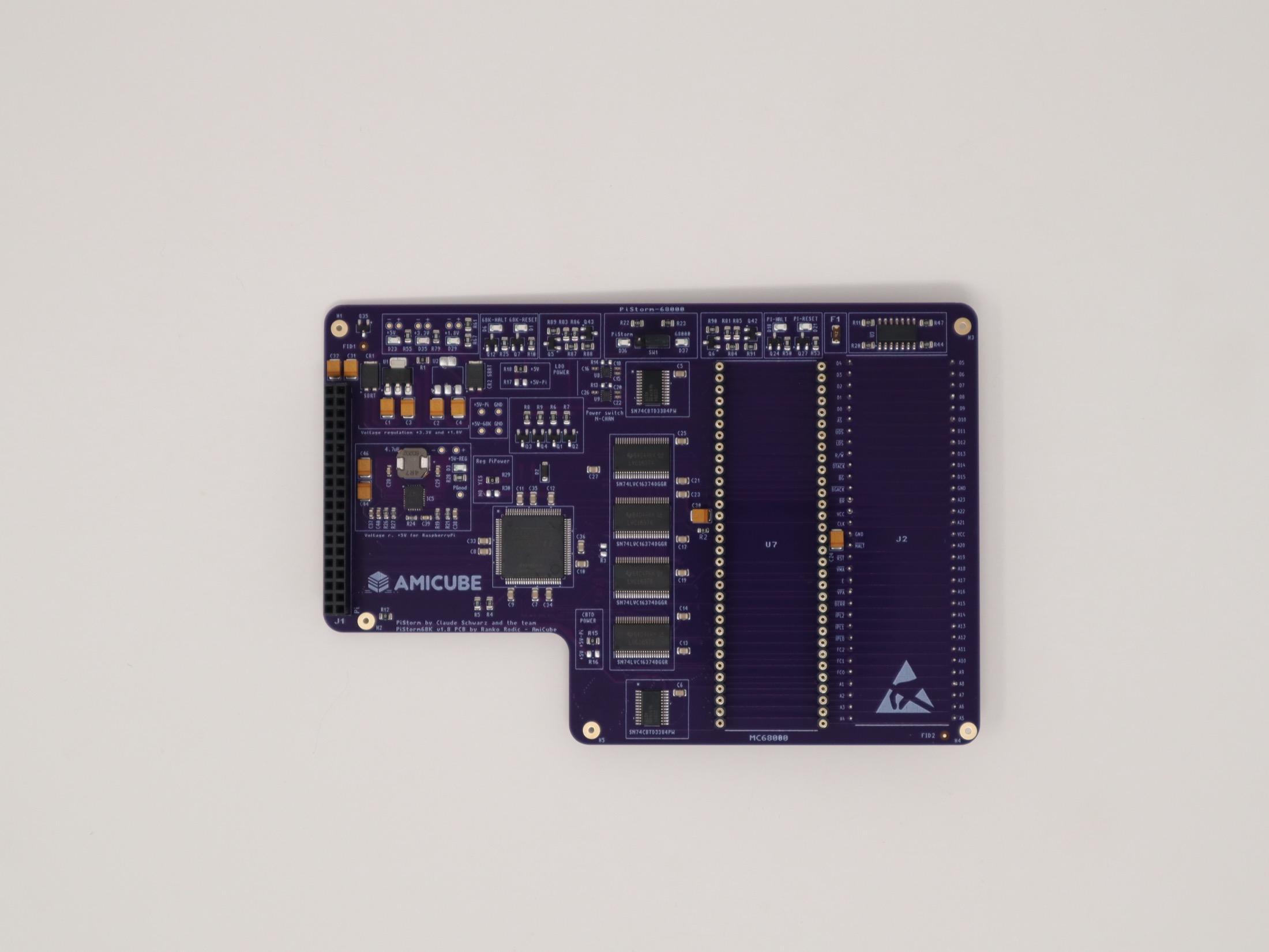
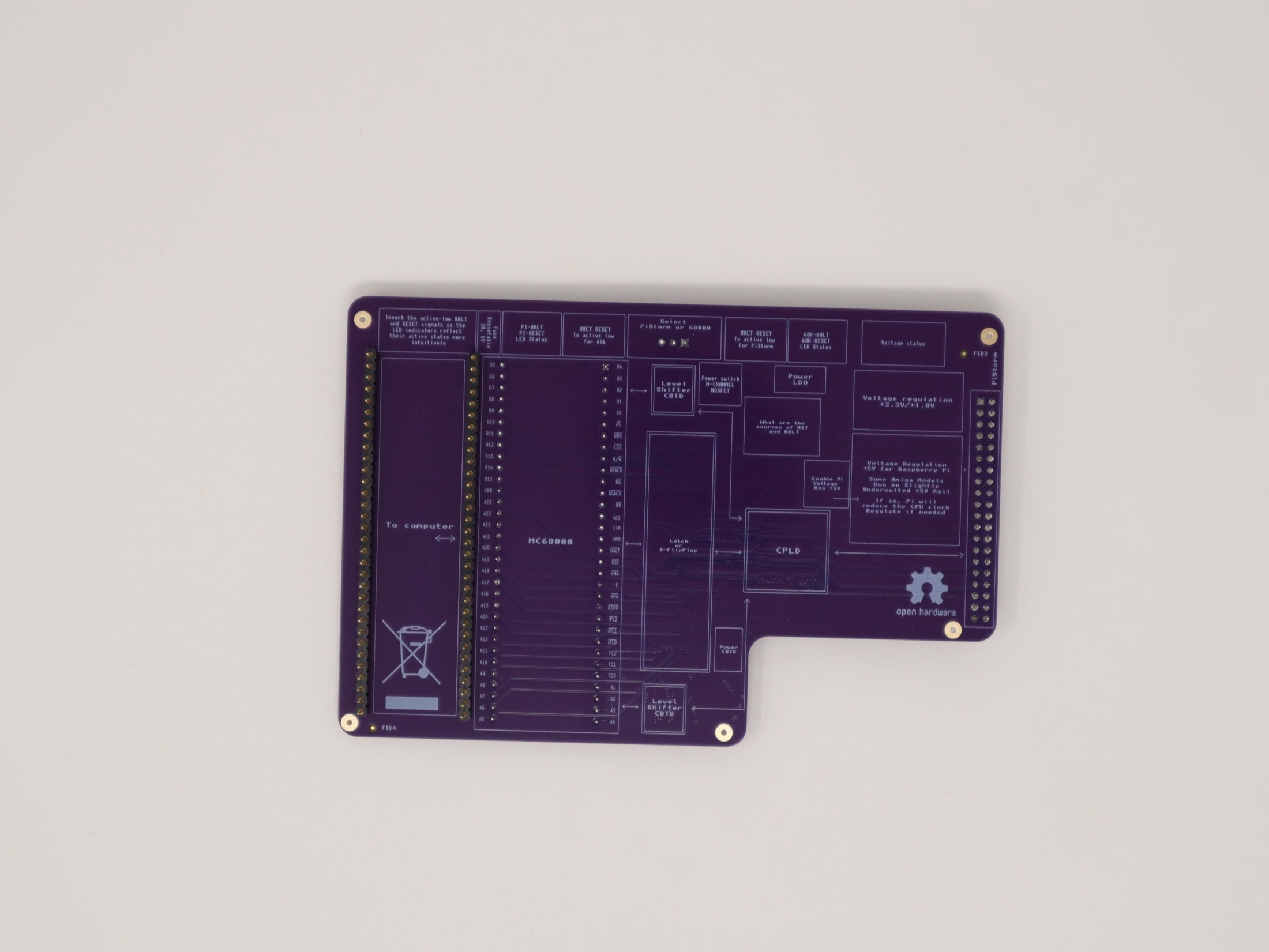
Select the Raspberry Pi/PiStorm path or a fitted physical MC68000-family CPU without repeatedly removing processors.
Electronic power control
CPU load switches, regulated +5 V for the Pi, protection diodes, resettable fuse protection and improved decoupling.
Six-layer ENIG + LEDs
CPU selection, signal and rail indicators support bench testing; the layout provides clearance for larger Raspberry Pi boards.
PiStorm68K meets AmiCube
One hardware family. More ways to experiment.
I built PiStorm68K to make the choice between Raspberry Pi-powered acceleration and a physical 68000 more practical. The onboard selector means I can compare those paths without repeatedly pulling processors out of their sockets.
On AmiCube, the HARD core connects the FPGA chipset to the physical DIP64 CPU interface. PiStorm68K fits on that side of the system; the separate SOFT core runs the TG68 CPU inside the FPGA. The physical ARM controller remains responsible for the menu, storage setup and drive choices.
I’ve recorded boots with PiStorm, PiStorm68K and a 68SEC000, then taken the socket work further with native Picasso96 RTG. The H8 demonstration runs Workbench at 800 × 600 in 16-bit colour through AmiCube’s own display output. The graphics are provided by the AmiCube core—not added to another host simply by fitting PiStorm68K.
Electronic CPU power switching, regulated +5 V for the Raspberry Pi, protection circuitry and status LEDs are part of making the hardware useful on the bench. Follow the setup procedure when changing CPU paths; this is not live hot-switching.
Selectable PiStorm or physical 68000 path
AmiCube real-drive and ADF workflows
Native AmiCube RTG on the tested H8 setup
My AmiCube/PiStorm68K development setup, with a Raspberry Pi fitted.
PiStorm68K is supplied as a board-only product; a Raspberry Pi and physical CPU are not included. A500/A2000 compatibility remains experimental. Results depend on the host, core, adapter and software configuration.
A closer look at the board
The details are on both sides.
I’ve kept the board’s functions visible, from the selector and power circuitry to the labels underneath. These are photographs of the actual hardware.
From the hardware bench
PiStorm CPU. AmiCube RTG output.
I brought the socket CPU into AmiCube’s display path using the same Minimig/Picasso96 driver family I had already tested with the soft 020. On 9 September, my H8 setup with PiStorm reached an 800 × 600, 16-bit Workbench through the board’s own video output. The earlier SOFT capture below shows where that work began.
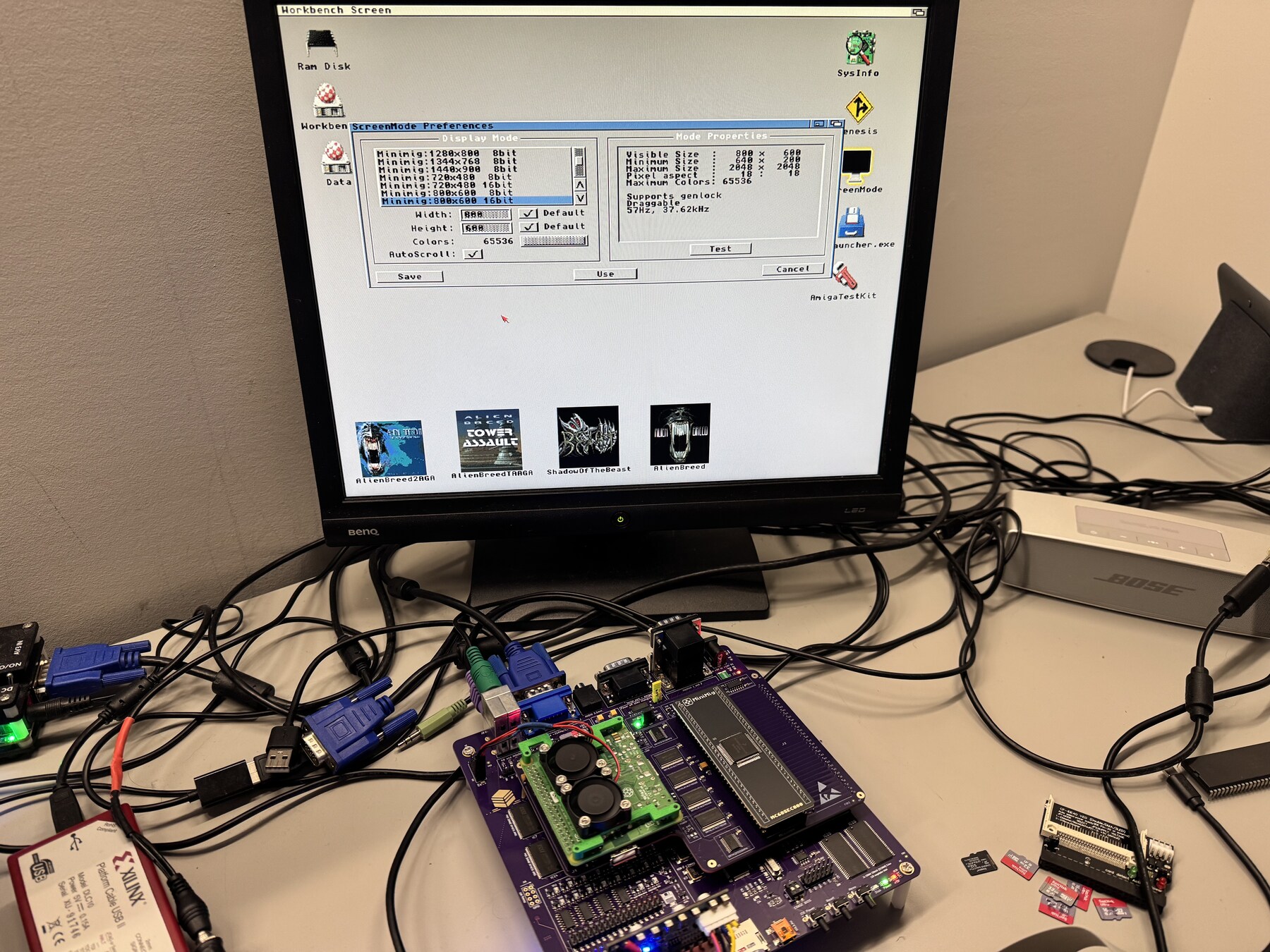
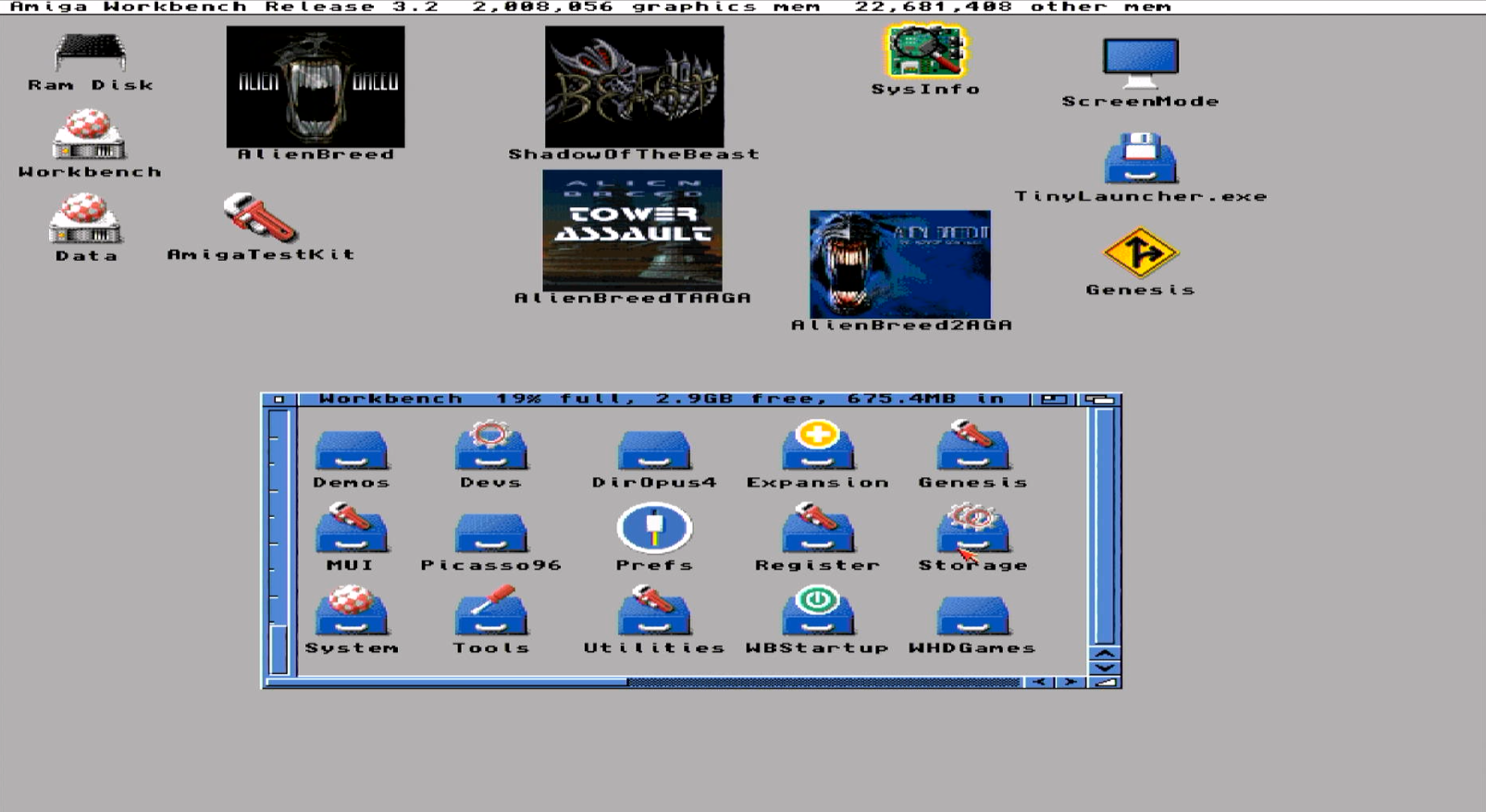
The RTG milestone belongs to the AmiCube H8 core, driver and PiStorm setup. PiStorm68K alone does not add the AGA chipset or AmiCube’s VGA output. H8 is a hardware-confirmed development result; broader qualification continues.
A community with a history
New hardware. Familiar faces.
How WoRC got here
- 2021The expo launched with a one-day gathering in Cambridge.
- 2022Steckle Heritage Farm in Kitchener hosted the next edition.
- 2023–24Two-day expos filled the former Goudies department store in downtown Kitchener.
- 2025The organizers took a year off from the expo.
- 2026The show returns at the University of Waterloo.
Explore the official past schedules, the 2025 announcement and the 2026 event page.
The people behind the show
Co-founder and organizer Justus Jurica helped establish WoRC as a way to keep computing history accessible, especially to younger generations. Exhibitors, volunteers and sponsors turn that idea into hands-on encounters with working machines. Read the 2022 CityNews profile.
For 2026, the University of Waterloo Computer Museum helped secure the venue; its curators are also listed among the exhibitors. I’m proud to support the show again as a Platinum sponsor. Meet this year’s exhibitors and activities.
From that table to AmiCube
At WoRC 2023 I brought Minimig 1.97itx and several CPU configurations. The 2024 programme then previewed AmiCube V1 and listed Minimig.ca as a Platinum sponsor. In 2026, I’m bringing the v1.1 story forward: AGA, real floppy disks, the new ARM F12 experience and more ways to choose a CPU.
Another chapter: World of Commodore 2022
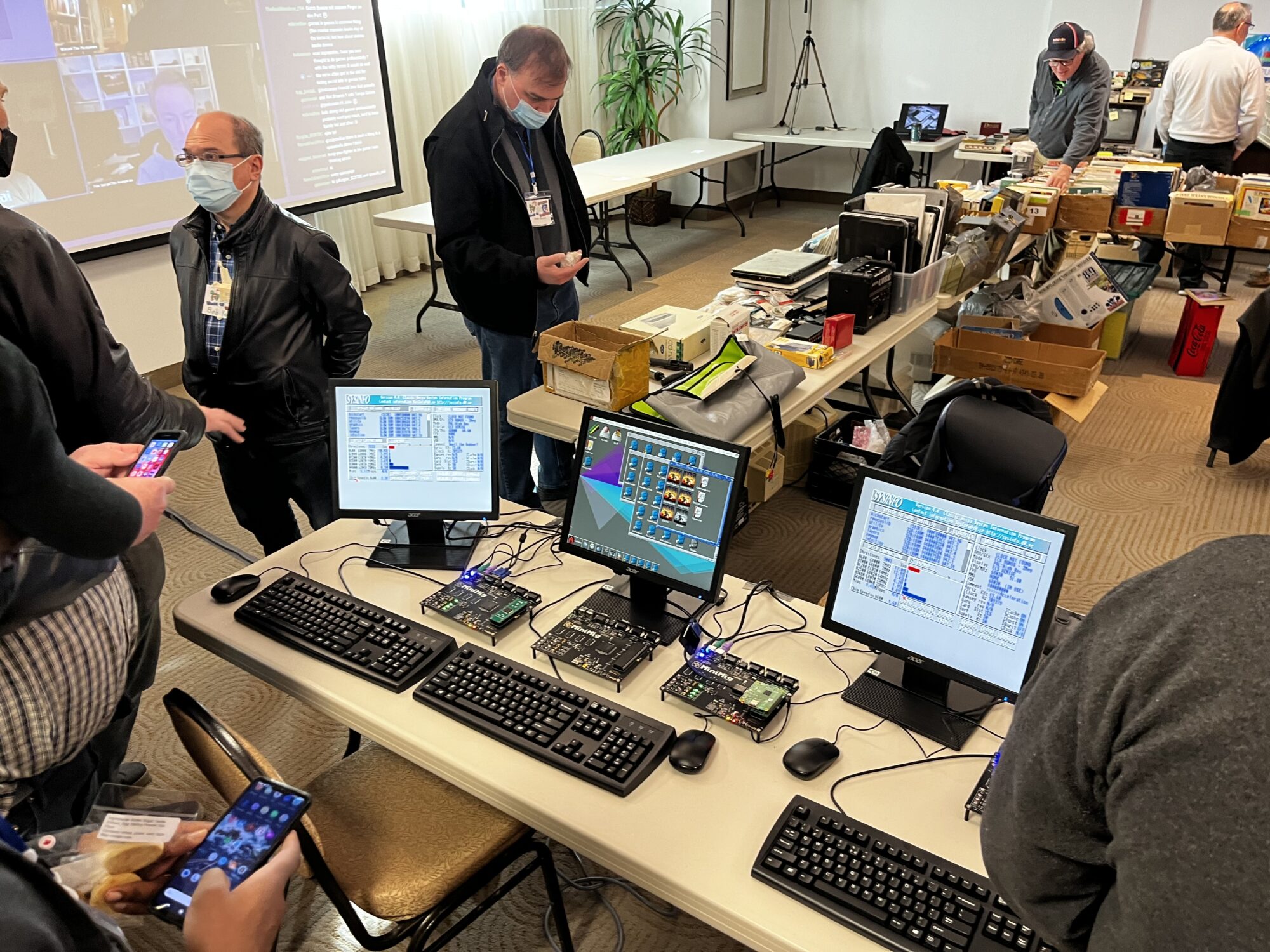
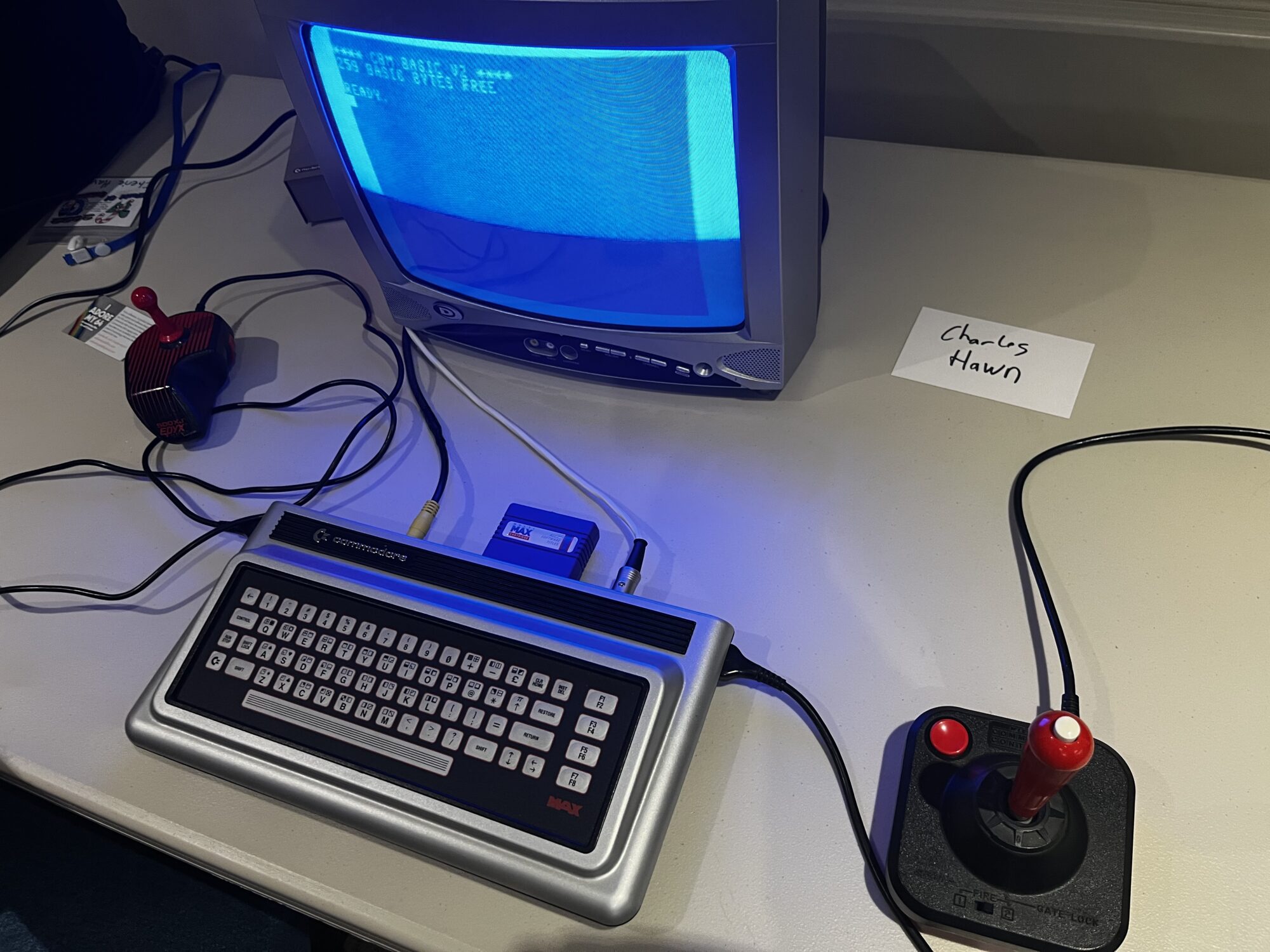
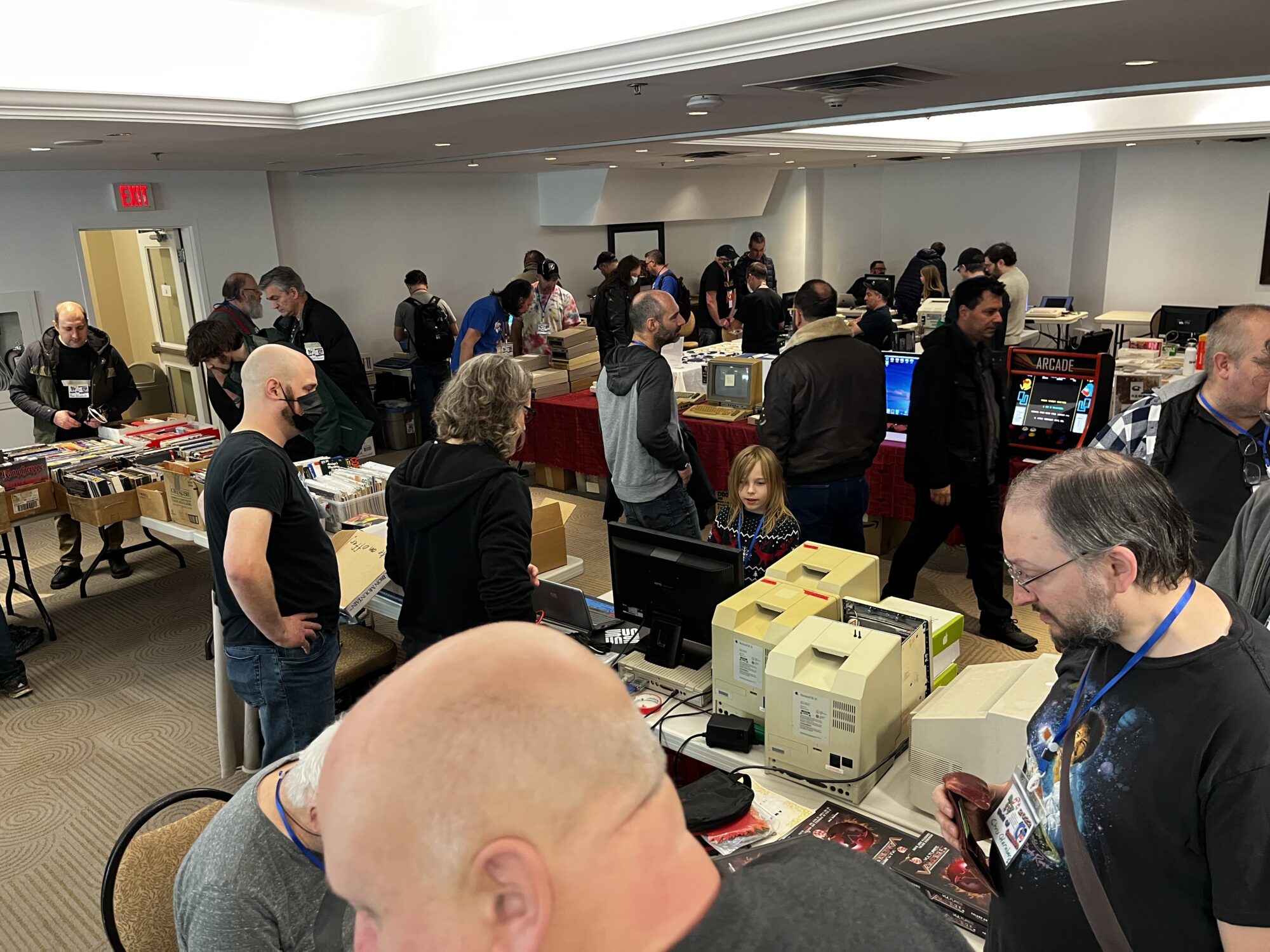
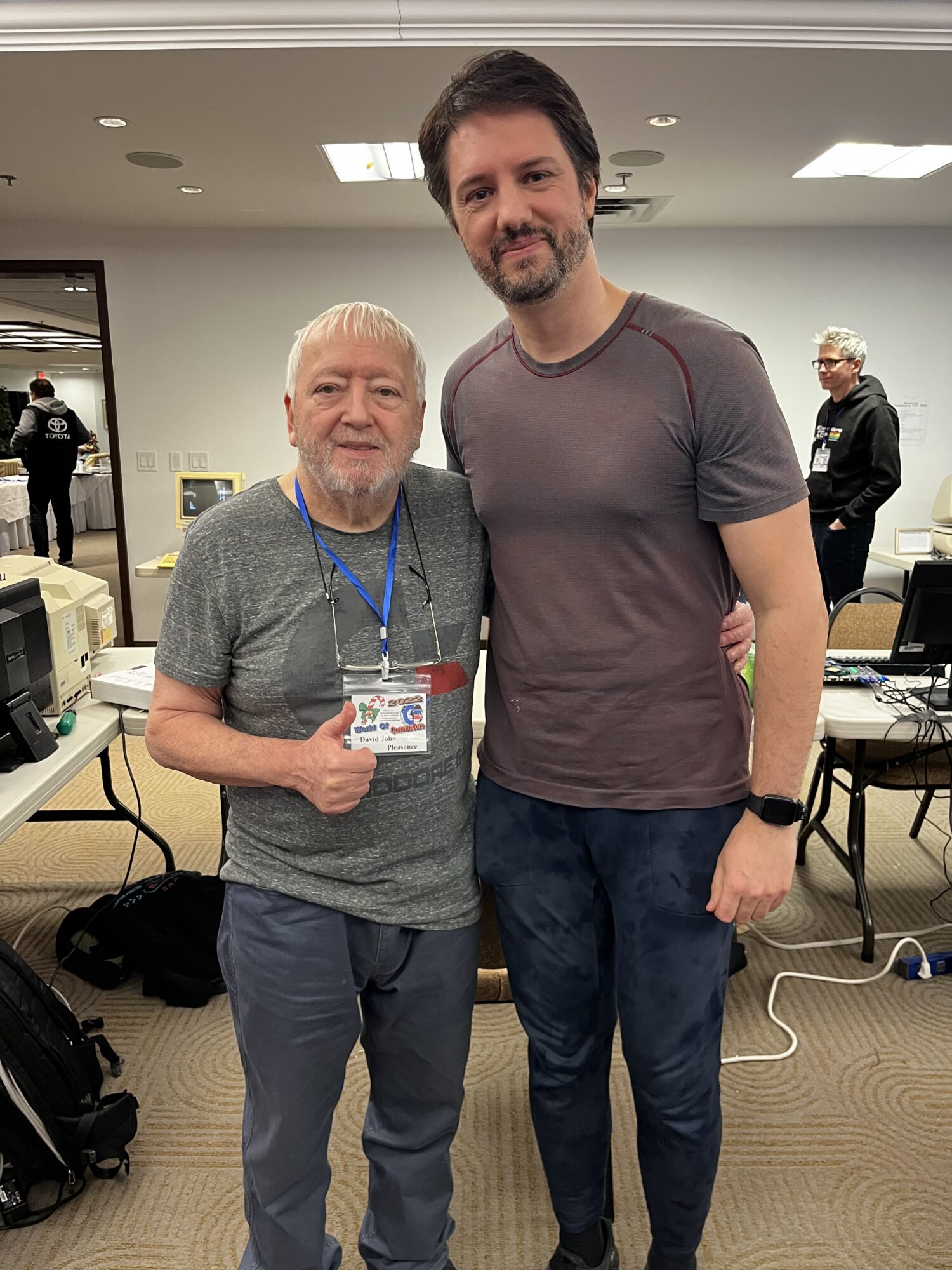
A separate event, the same love of retro computing. World of Commodore is organized by the Toronto PET Users Group. Its December 3–4, 2022 show in Mississauga included my Minimig project update. These five photographs belong to that event, not WoRC. See TPUG’s 2022 programme.
My 2022 Minimig development presentation
The World of Commodore programme included my project update at 3:15 pm on Sunday, December 4, 2022. Alongside the exhibits and vendor tables, presentations and workshops gave us room to discuss hardware, software development, games and emulation. The recording is another part of that earlier chapter—not a scheduled 2026 talk.
Watch my World of Commodore 2022 talk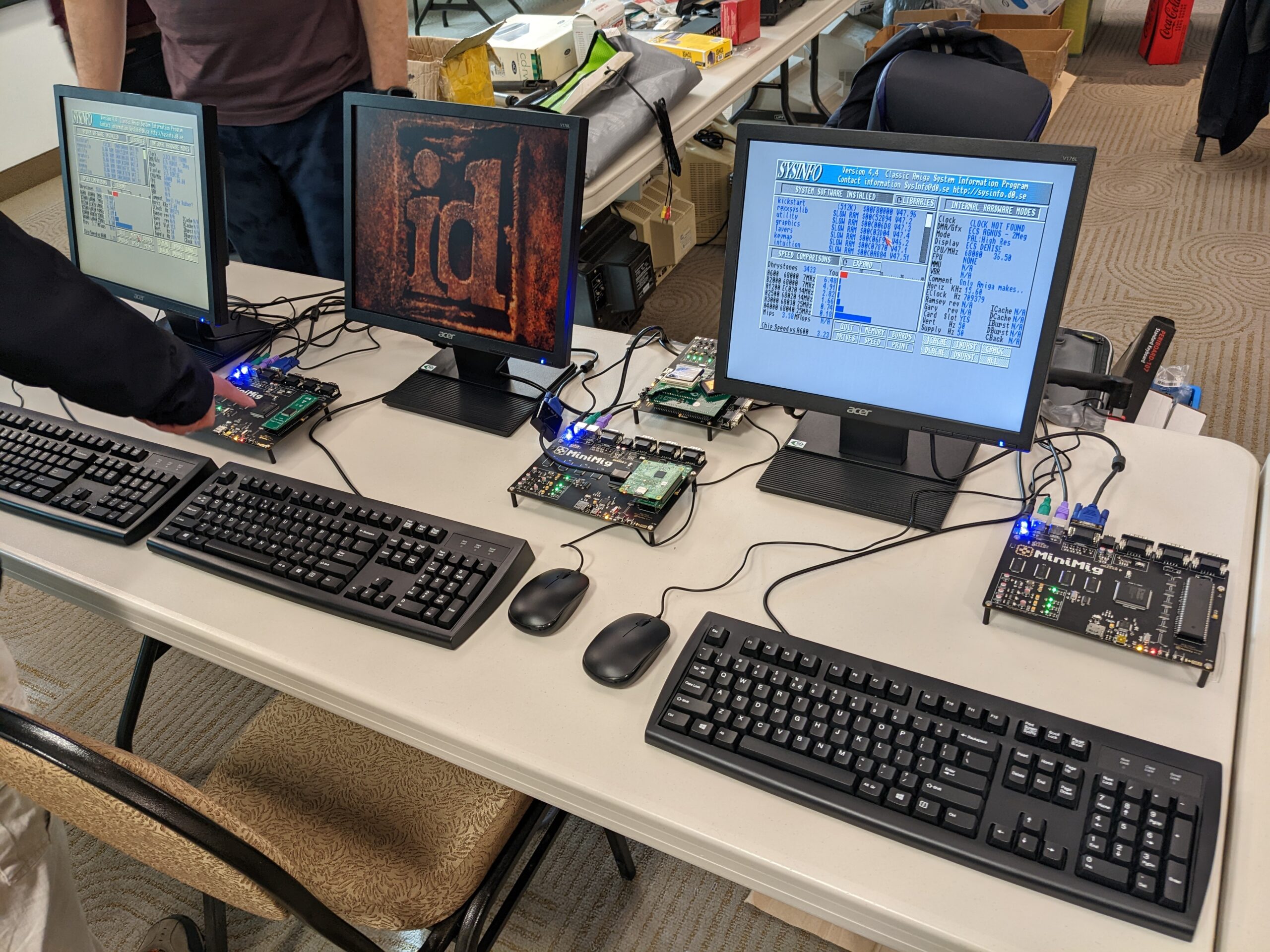
Plan your visit · Downloads
See you at WoRC 2026.
September 12–13
Saturday and Sunday, 10 am–6 pm.
Waterloo local time · Free admission · All ages.
Meet Ranko Rodic at the Minimig.ca workshop.
Minimig.ca is a Platinum sponsor.
263 Phillip Street
IDEAs Clinic, Room 1427
Pearl Sullivan Engineering / Engineering 7
University of Waterloo · Waterloo, Ontario
Use 263 Phillip Street for directions, rather than the university’s 200 University Avenue address.